Concepts - the philosophy behind every screen
Read this first. The screens make a lot more sense once you understand the four ideas underneath them.
Grace also teaches itself in-product: every page has a built-in spotlight guide that runs the first time you visit it, and you can replay it any time from the gear (Organization) menu in the top bar under "Show guide." This written guide is a companion to those in-app walkthroughs, not a replacement for them.
Co-Pilot, not Autopilot
Grace is built to help film professionals do their job faster - not to replace their judgment. The script you upload, the scenes Grace breaks out, the rates Grace suggests on the budget: these are all first drafts. You're the editor. Grace does the typing; you decide what's right.
The whole interface is designed around this idea. When Grace suggests something, it's clearly marked as Grace's suggestion. When you change it, the marker flips. The system never silently overwrites human work, and never claims authority it hasn't earned. The film industry handles confidential scripts, $50M+ budgets, and union contracts - AI autonomy isn't acceptable here, and we don't pretend otherwise.
If that framing matters to you, you're in the right tool. If you wanted a robot to make production decisions for you, you'll be disappointed.
The dot system
Every editable value in Grace has a tiny dot next to it. The color tells you where the value came from and how much to trust it.
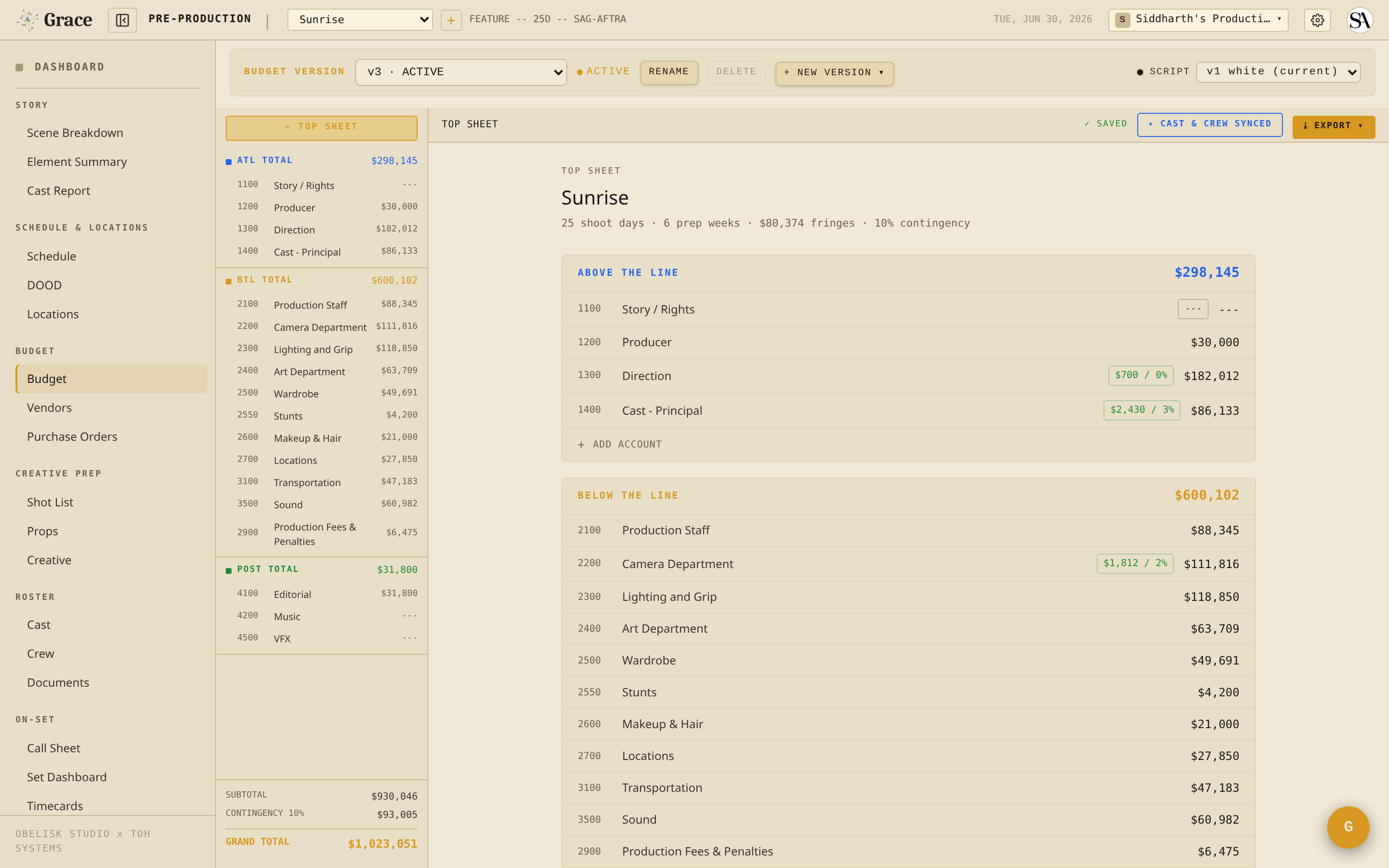
- 🔵 Blue - Grace produced it, and it isn't yet backed by a production source. Could be from script parsing (cast pulled from your screenplay), a rate card (an LA IATSE day rate), an industry default (15-minute hair and makeup for a clean shave), or AI inference (this looks like a VFX shot). Blue also covers any value Grace derives that still depends on at least one unverified (blue) input. Blue values are visible and editable - they're a starting point, not a commitment. Blue shrinks over time as you enter values (gold) and verification lands (green).
- 🟡 Gold - A human entered or changed this directly. The moment you touch a blue value, it turns gold. Gold is a hard override: it breaks Grace's cascade for that cell (Grace stops managing it) and it is sticky - it never flips on its own. Only you can move it: back to blue to hand control to Grace again, or to green if you accept it as verified. If a signed document later conflicts with a gold value, Grace flags a warning rather than overwriting your entry.
- 🟢 Green - a VERIFIED value. Green only ever upgrades a blue (it never touches a gold), and it gets there two ways: Grace confirmed it against a real production source (a signed or executed deal memo, contract, or purchase order), or Grace derived it entirely from values you already trust (gold and green inputs). A signed deal memo now flips both the roster row and its budget person-line green automatically. Green isn't a dead end - you can still override it, and it drops back to blue if the verifying document is voided.
The dot system is the trust layer. It exists so a producer scanning a budget can see at a glance which numbers came from the system, which a human stood behind, and which are verified against paper. It exists in every module that mixes Grace and human input: breakdown, budget, schedule, timecards, character looks, call sheets, the works.
When you see a blue value, that's an invitation: "I took my best guess - does this match what you know?"
Role tiers
Grace's permission system has three tiers, plus owner. Every role you can assign falls into one of them.
- T1 (full access) - Producer / UPM. They run the production at the top level; they see and edit everything.
- T2 (curated) - Director, AD, DP, Script Supervisor, VFX Supervisor, Camera Operator, Department Heads. Each role gets a tailored set of permissions - for example, DPs can read scenes but write shots; Script Sups can read schedule but write continuity. Budget is hidden for T2 roles by default; a producer can grant it (or any other section) per crew member via per-section overrides ("DP also needs access to the vault").
- T3 (minimal) - Other crew, cast, cast guardians. By default they see only their own call time and today's scenes. Producers can grant additional read access if a specific person needs it (e.g., set decorator viewing locations).
- Owner - Singleton per organization. The owner is whoever created the org; they hold ultimate authority over it. There is no transfer flow - each Grace org has exactly one permanent owner. If you need a new owner you create a new org. An owner who hasn't joined any production as a crew member starts read-only on that production; a gold banner offers a "JOIN AS PRODUCER" button that unlocks full access. Only the owner can archive a production.
T1 producers can invite anyone, customize anyone's access, and unlink anyone. T2 directors and DPs cannot. T3 crew can do their own work but can't see (or change) anyone else's.
See Access control & role tiers for the full matrix.
The beachhead user: the 1st AD
This isn't a permission tier - it's a product strategy. Grace is built around the 1st AD's workflow first because the AD is the production member who feels the most daily pain: they assemble the call sheet every night, manage minor hours and turnaround compliance, run the set clock, and field a thousand questions per day from every department.
Every call sheet Grace generates is Grace-branded. Every department head who receives one sees Grace as the source. The 1st AD wins, the rest of the crew gets exposed, adoption follows. That's why so much of the app's depth lives in the call-sheet + set-dashboard flow.
If you're an AD, this entire system is shaped around your workflow. If you're another role, you're benefiting from the AD's adoption - the call sheet you receive each morning was built faster, with fewer errors, on Grace.
The design system
Grace's interface uses a deliberately stripped-down film-industry aesthetic. A few conventions to know:
Themes - Light is the default, and it's what you see in the screenshots throughout these docs. A dark "Espresso" theme is also available - toggle it from the gear (Organization) menu in the top bar.
Colors with meaning:
- Gold (
#D69821in the light theme, a touch brighter in Espresso) - accents, calls-to-action, "approved by the AD" cues - Green - captured / wrapped / approved / verified
- Red - danger, compliance violations, archive
- Orange - company move, attention-needed
- Purple - pre-pro layer (shot list, VFX)
Strip colors (in the schedule and set dashboard) follow a warm-day / cool-night scheme - DAY strips read warm, NIGHT strips read cool, so you can tell the shooting condition of a strip at a glance:
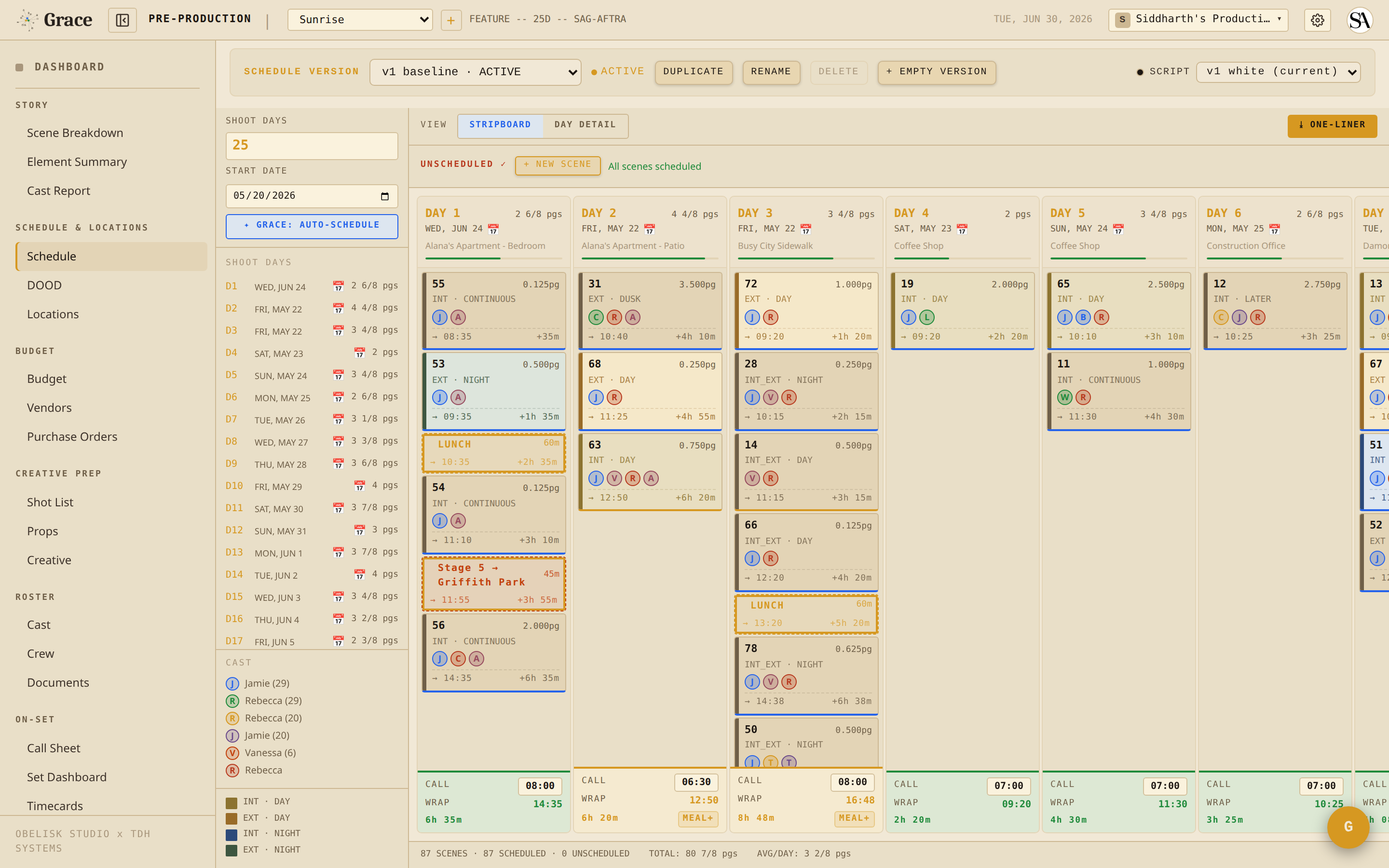
- 🟡 INT DAY - warm gold
- 🟠 EXT DAY - amber
- 🔵 INT NIGHT - cool blue
- 🟢 EXT NIGHT - cool green
Monospace labels - Courier New for numbers, scene numbers, labels. Helps the eye scan tables and ensures times like 06:45 always line up.
Fonts - Segoe UI for body, Courier New for monospace labels.
How the rest of the docs are organized
Now that you know the philosophy:
- Quickstarts per role for 2-minute orientations
- Workflows for "I'm about to do X, walk me through it"
- Reference for "tell me everything about how Y works"
If you forget something, the README is the index.