Script → Breakdown
You have a screenplay PDF or text. Grace parses it into scenes + elements (cast, props, stunts, sfx, animals, etc.) using a three-tier AI chain (Claude Opus 4.6 and Sonnet 4.6 on AWS Bedrock, with Gemini 3.1 Pro on Google Vertex as a final fallback). You then review the AI's calls - accept, reject, or adjust - and commit the result. The committed breakdown is the data foundation for everything downstream (schedule, budget, call sheets, shot list).
The first time you land on this page, Grace runs a short in-app spotlight tour that walks you through the scenes list, an element, a dot, and the revision-upload flow. You can replay it anytime from the gear menu ("Show guide"). This written guide is the companion reference.
1. Upload the script
Open the production's Breakdown page (/dashboard/breakdown). On a brand-new production with no script uploaded yet, you'll see an upload prompt.
Click UPLOAD SCRIPT. Pick a PDF or .txt file (.fountain is parsed as text). Up to 25 MB.
The upload returns immediately with a jobId - the actual AI parse runs in the background. You'll see a parse pill in the top bar that reads PARSING NN% while the job runs (0% → 90% during the LLM stream, 90% → 100% during DB writes), then PARSED on completion (or PARSE FAILED if something goes wrong).
The pill is visible on every other page of the app, so you can keep working while it runs. On the breakdown page, scenes fill in live as they parse, with gray skeleton cards standing in for scenes not yet written. Typical parse time: 90 seconds to 4 minutes for a feature-length script.
What's actually happening: Grace streams the script through Claude Opus 4.6 on AWS Bedrock (per-tier
max_tokens64,000), falling back to Claude Sonnet 4.6 (Bedrock) and finally to Gemini 3.1 Pro on Google Vertex on 5xx / rate-limit / overflow. The prompt asks the model for scene-level structured output: scene number, INT/EXT, time of day, location name, page count, shoot-minutes estimate, synopsis, and elements (cast/props/etc. with category). The two Claude tiers stream viamessages.stream, which is what feeds the pill's live progress; the Gemini fallback is last-resort and does not emit progress, so the bar holds at its last percent if the parse reaches it.
Grace reads the script: on first upload, a lightweight classifier ("Grace reads the script") runs alongside the parse and writes a content profile to the production - a rough tier, shape tags, union posture, and quantity estimates. It never emits dollars, and every value it produces is BLUE (a Grace suggestion you can override). This is what later surfaces as the "✦ GRACE READ THE SCRIPT" chips on the budget top sheet. Each committed revision re-runs it.
2. First-upload flow
If this is the production's first script upload, the parse writes the breakdown directly - scenes, elements, extracted locations, and extracted cast. You skip the review step. It also creates empty v1 baseline versions for the schedule, budget, and shot list (the artifact-version containers) plus scene snapshots for historical diffing.
It does NOT lay down schedule strips or a rated budget at this stage. Those are produced later, on their own pages: strips get built on the Schedule page, and the budget is seeded on demand on the Budget page from a template (Grace / Minimum Grace / Empty / clone an existing version). See Pre-production.
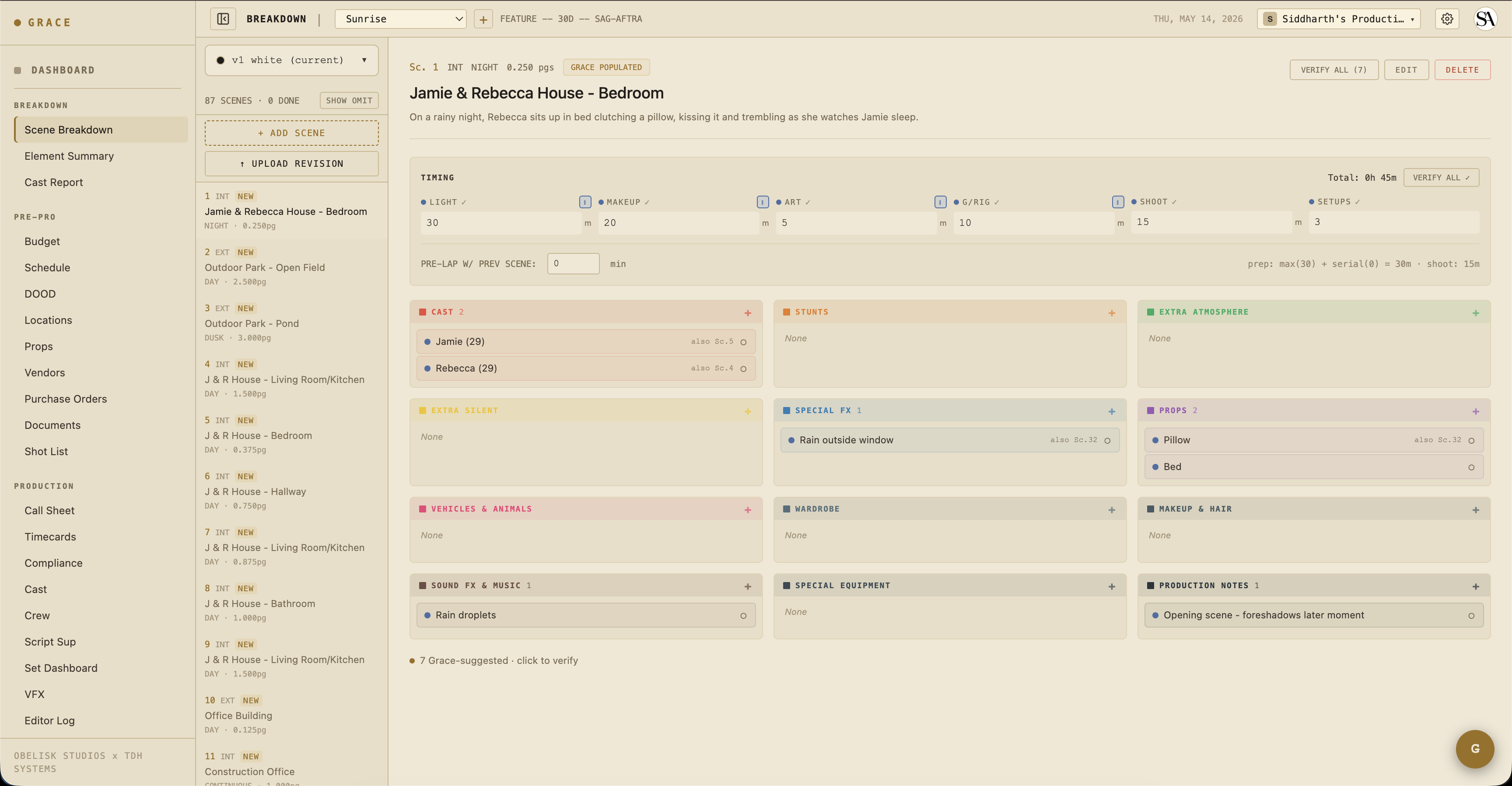
The scenes table is now populated. Click any scene number to drill into the scene detail panel - see all its elements, edit descriptions, verify hazardous elements.
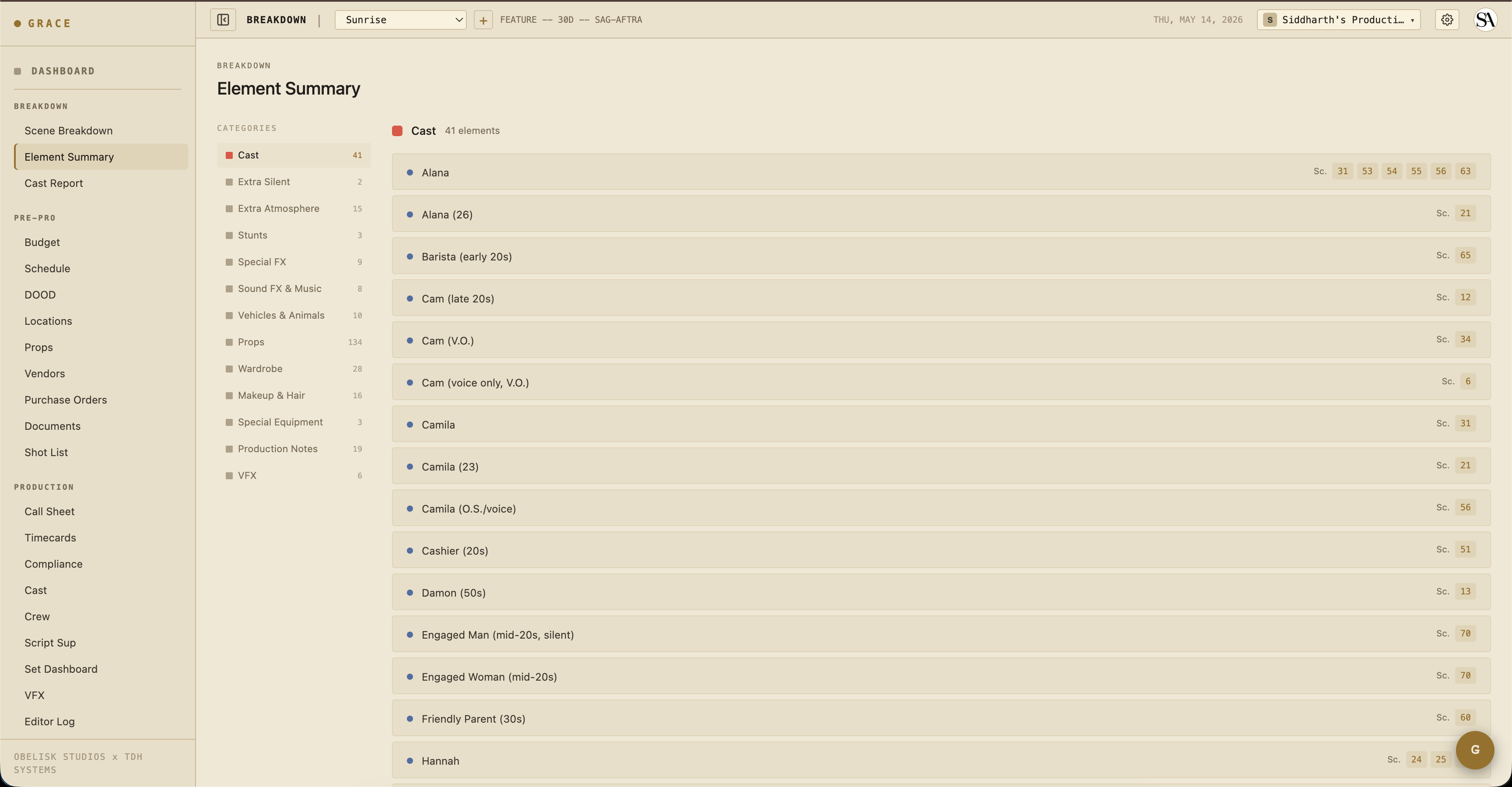
The Element Summary view (/dashboard/breakdown/summary) aggregates elements across all scenes, grouped by category. Useful for "how many distinct props will we need" / "which scenes have stunts."
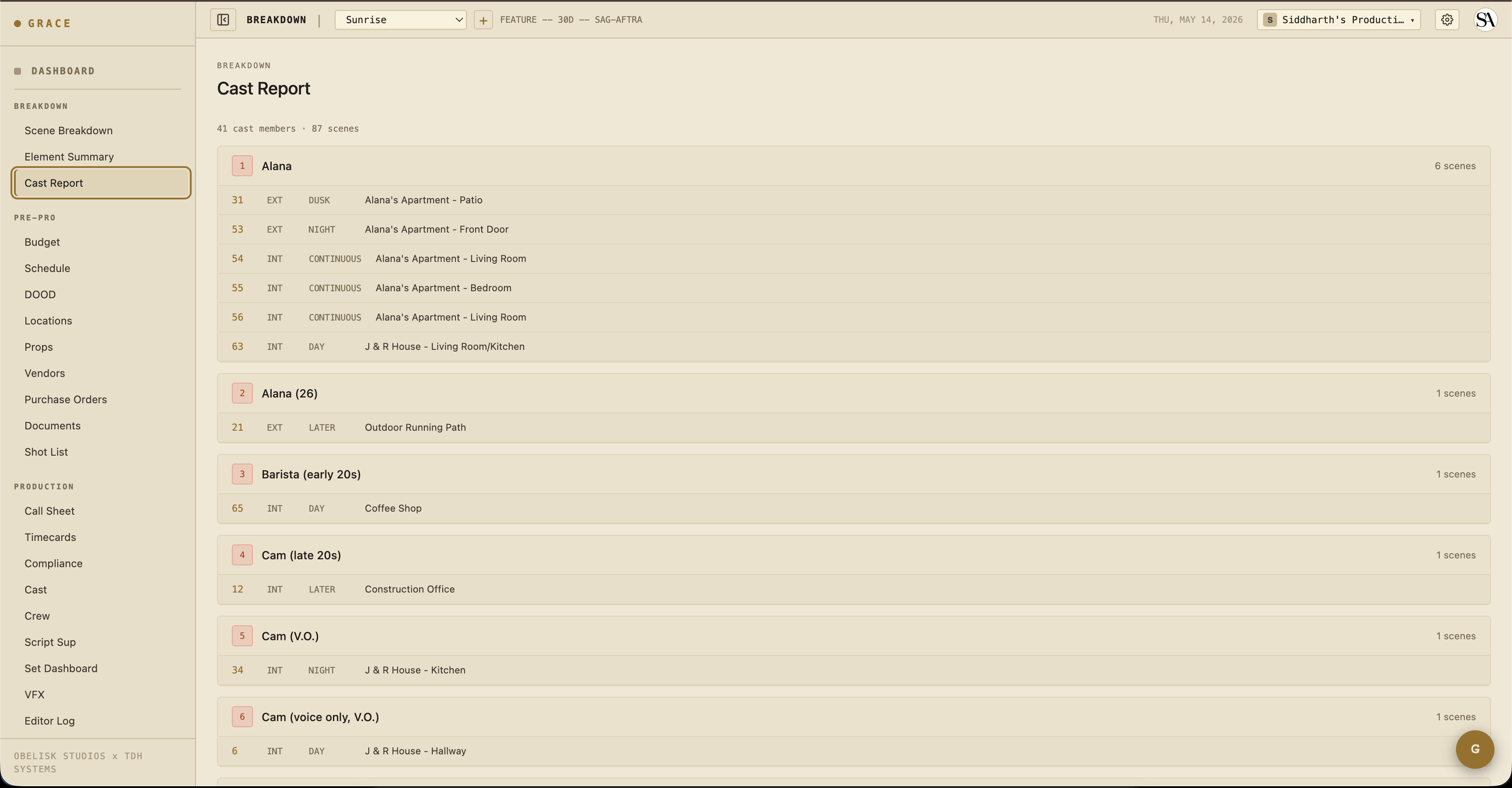
The Cast Report view (/dashboard/breakdown/cast) shows the cast roster with their work days computed from the scenes they're in. This becomes the basis for the DOOD (Day Out of Days) on the schedule side.
3. Revision upload flow
Once you have a script committed, future uploads are revisions. The new script goes through the AI parse and is staged as pending_review. Grace diffs the new scenes against the existing ones:
- Unchanged - same scene number, content fingerprint matches. No action needed.
- Modified - same scene number, content changed. Diff shown side-by-side.
- Added - new scene number. Marked for accept.
- Removed - was in v1, missing from v2. Marked for soft-delete.
- Possible match - heading similarity ≥ 0.75 (Jaccard) suggests these are the "same" scene renamed.
You walk through the diff at /dashboard/breakdown/review/<scriptId> and accept/reject each change. The bottom of the page has fork toggles - when you commit, Grace can also fork the schedule, budget, and shot list to new artifact versions tied to this revision (so v2 changes don't trash your v1 schedule).
Industry revision colors
Each successive revision gets a color from the industry-standard cycle:
white → blue → pink → yellow → green → goldenrod → buff → salmon → cherry → tan → ivory
After ivory, the prefix becomes "Double" → "Triple" etc. The revision color appears in the script header, on call sheets, and in the schedule strip footer so everyone on set knows which version you're shooting from. See revisions for the full mechanics.
4. Element verification and the dot system
Every value Grace shows carries a dot that encodes how much you can trust it. On the breakdown, that plays out across three states:
- Blue - Grace produced it and no human has verified it yet. Every element the parse extracted starts blue. Blue values are fully editable, and editing the text of a Grace element leaves it blue (you changed the wording, not the trust).
- Green - a verified value. Verification only ever upgrades a blue. For breakdown elements, clicking the element's dot (or VERIFY) confirms it and flips it green. Downstream, green can also mean a value backed by a real production source, like a signed deal memo or PO, or one Grace derived entirely from other trusted (gold/green) inputs.
- Gold - a line a human entered or overrode by hand. Gold is a hard, sticky override: Grace stops managing that cell and it never auto-flips. If you add an element that Grace missed, it lands gold. Only you can move a gold value back to blue (let Grace manage it again) or to green (accept it as verified).
Why this matters:
- Producers reviewing the breakdown can see at a glance which elements have been double-checked (green) versus still just Grace's guess (blue).
- Stunt / weapon / animal elements (hazards) should always be reviewed before they appear on a call sheet - Grace can over-flag or miss things.
- Compliance: the safety bulletin on the set dashboard surfaces hazard elements from today's scenes. A hazard element still sitting blue is a "needs your eyes" signal.
5. Commit a revision
On the review page, after toggling accept/reject per scene:
- (Optional) Pick which artifact versions to fork (schedule / budget / shot list) and give the fork a name like "v2 - color pages 2026-05-15."
- Click COMMIT REVISION.
What Grace does atomically in one transaction:
- Applies all accepted MODIFIED scenes - merges elements by
(category, lowercase(trim(name)))so existingcastMemberId,isVerified,descriptionetc. survive. Updates matched, inserts new, soft-deletes orphan. - Applies all accepted ADDED scenes - stamps
breakdownNumber = max+1..(atomic probe). - Applies all accepted REMOVED scenes - soft-deletes with
omittedInScriptId. They stay visible in the UI with strike-through. - Forks selected artifact versions (clone strips/budget/shots into new version IDs tied to the new script).
- Flips the new script's
isCurrent = true, clearsdiffPayload, callssnapshotScenesForScript(), and re-runs the "Grace reads the script" classifier for the new revision.
All-or-nothing. If anything fails, nothing changes.
6. Discard a draft
If a revision looks wrong (the parse hallucinated too much, you want to re-upload), click DISCARD on the review page. The pending script row deletes; no changes propagated.
What's next
Now that you have a breakdown, the next step is layered planning:
- Pre-production - schedule, budget, locations, props, shot list, documents.
- For directors specifically: Script supervisor workflow covers continuity + takes.