Quickstart - 1st AD
You're the beachhead user. Grace's entire design is shaped around your daily cycle: assemble the call sheet, get it approved, send to crew, run the shoot day, capture timecards, generate the DPR, repeat.
You have T2 access with callSheets:write - full write on the call sheet flow. The Producer/UPM owns the budget; you own the day clock.
Tip: Grace walks you through each of these pages the first time you open it with an in-app spotlight tour. Replay any tour from the gear menu > Show guide.
Your daily cycle
In rough order, every shoot day:
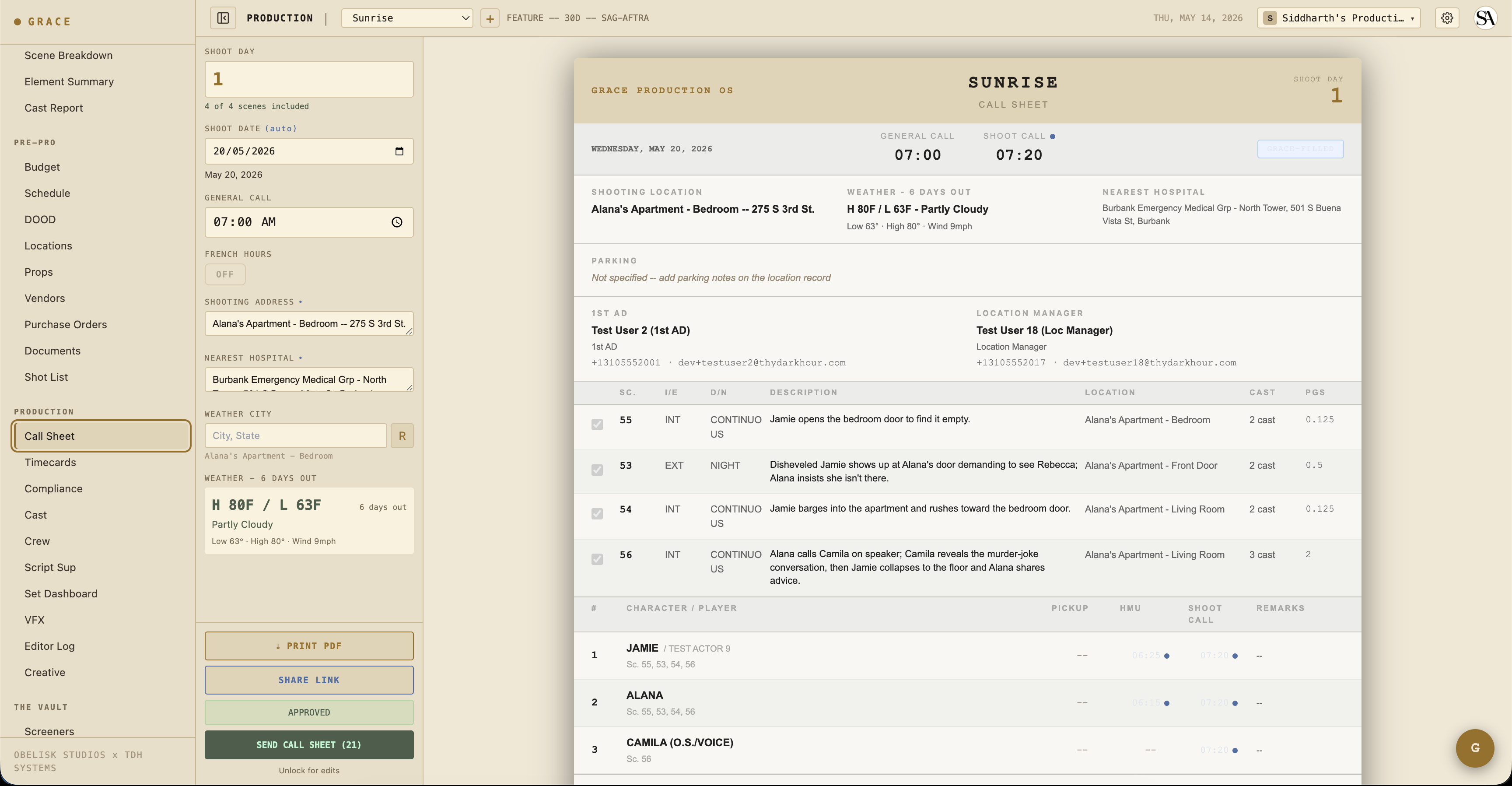
- Build tomorrow's call sheet - the night before. On-Set → Call Sheet → pick the day. Grace pre-populates from the schedule strips; you set general call, lock per-row call-time overrides (HMU chains, pickup actors), add department notes. See Call sheets.
- Approve + send - once it looks right, mark approved and send to crew + cast. Each recipient gets a Grace-branded email with a unique magic link to view the day's sheet.
- Run the day - On-Set → Set Dashboard. Strip timeline, current scene, meal timer, OT clock, projected wrap, turnaround compliance. Mark strips prepping → shooting → wrapped as the day goes. See Set Dashboard.
- Capture timecards - On-Set → Timecards. Grace pre-fills based on call time + meal duration; you override the actuals as people arrive/wrap. See Timecards.
- Generate DPR - Daily Production Report, button on the set dashboard. PDF goes to UPM/producer.
- Repeat - open the next day's sheet.
The Set Dashboard is your home
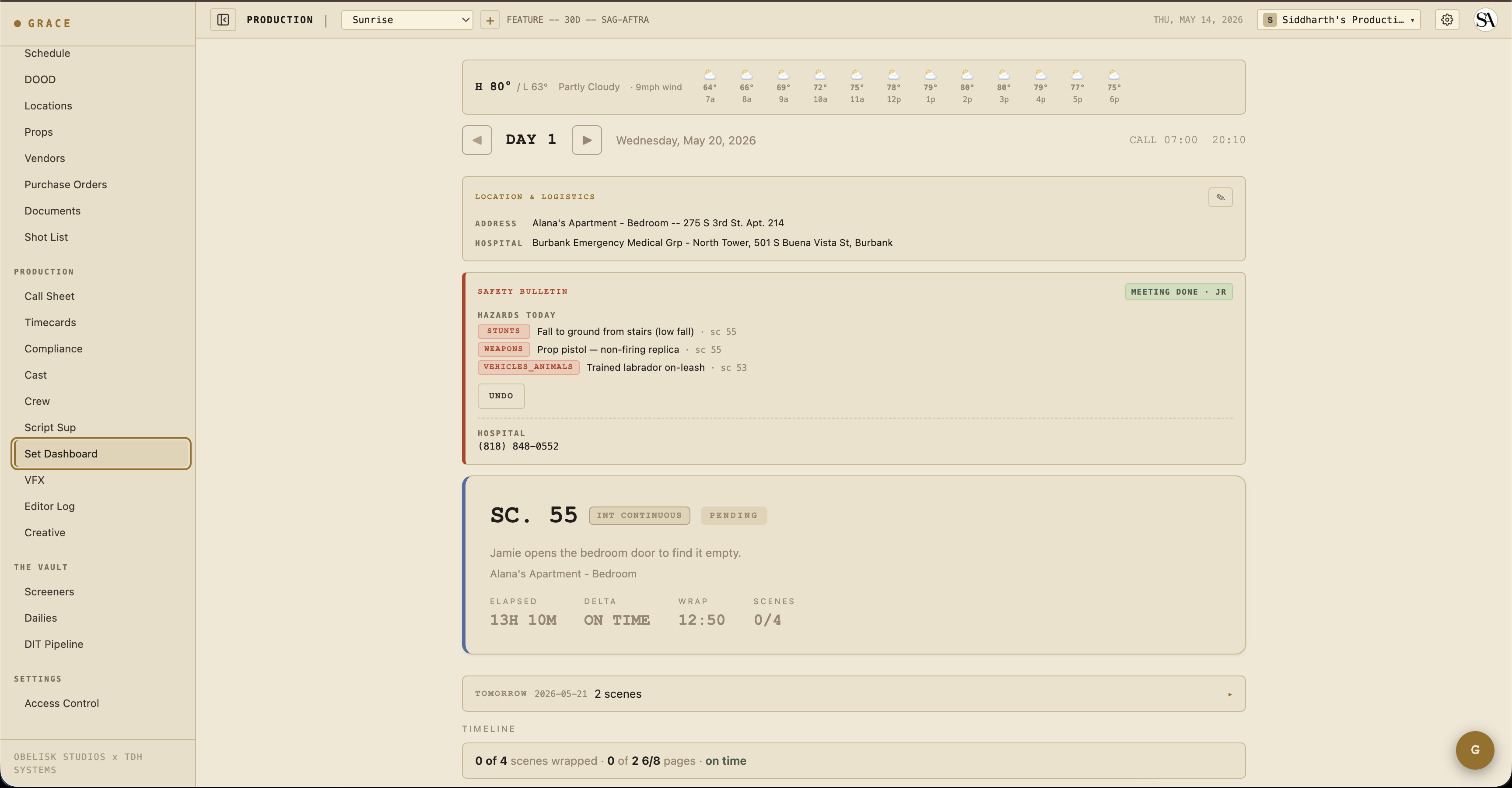
12 hours of your shoot day will be on /dashboard/production/set. It tells you:
- Where you are - current strip highlighted, day clock, real-time vs planned wrap.
- Where you're behind - projected delta in minutes (red = running behind, green = ahead of schedule, grey = on time).
- Compliance state - meal timer, OT accumulation, turnaround vs yesterday's wrap.
- Today's location, hazards, comms - the companion cards (location + logistics, safety bulletin, weather strip, walkie channels) below the timeline.
- What's next - Tomorrow at-a-glance, between hero and timeline.
Compliance is mostly automatic
Grace flags compliance issues as you work:
- Turnaround violation - red strip on the day-header if the previous day's wrap puts today's call inside the union turnaround window. Hours-shortfall shows. Force-call memo PDF auto-generates on approve.
- Minor hours - if a minor's day exceeds union profile (8/10/12 hours depending on age), approve blocks with a 422 until you either fix the schedule or acknowledge the violation. Acknowledgment is logged in the audit trail.
- Meal penalty - meal timer on the compliance footer counts up from call (or last meal end). At 6h on the IATSE profile, it turns red. When you approve the sheet, Grace auto-writes meal-penalty estimate lines into the budget (account 2900). Those are Grace-produced estimates, not purchase orders; POs are separate actuals the producer enters later.
- Safety meeting - when today's scenes include stunt / weapon / animal / SFX / water / heights / pyro / aerial elements, the Safety Bulletin card requires a sign-off with initials before crew arrival. See Compliance.
What you don't have access to
The Vault (screeners, dailies, DIT pipeline) is gated to the Producer (T1) by default. The producer can grant you read via per-section overrides if needed.
Budget is hidden from you entirely by default. The T2 baseline grants no budget access, so the Budget nav group does not appear for you at all. The producer can grant you budget read or write through per-section overrides; even then, the per-person crew and cast rate columns stay masked (those are commercially sensitive).
Next reads
- Call sheets - full daily cycle walkthrough.
- Set Dashboard - every card and button on the page.
- Compliance - turnaround, meal, minor hours, the 8 doc types.