Quickstart - Production Manager (UPM)
You manage the budget, the crew roster, the schedule, the POs, and the day-to-day operations of the production. You're in Grace daily, and you and the 1st AD are the heaviest power-users of the app.
You have T1 access - every section, every action. The producer/owner gave you producer (T1) access, which means you can invite people, customize access, and pull the budget reports.
Each page runs its own short spotlight walkthrough the first time you open it. It auto-launches on the first visit and you can replay it any time from the gear menu under "Show guide", so the app teaches itself in-product. This guide is the companion reference.
Day one
- Open the production dashboard for the show you're on (or the home grid if managing several). See Production setup if it's a brand-new prod.
- Make sure the schedule has dates that match real-world reality. Schedule & Locations → Schedule.
- Bring up the crew + cast rosters and confirm everyone you expect is invited. Settings → Access Control for invites; Roster → Crew/Cast for the rosters themselves.
- If you're working with a 1st AD, hand them the keys - they'll live in Call Sheets and Set Dashboard.
What you do day-to-day
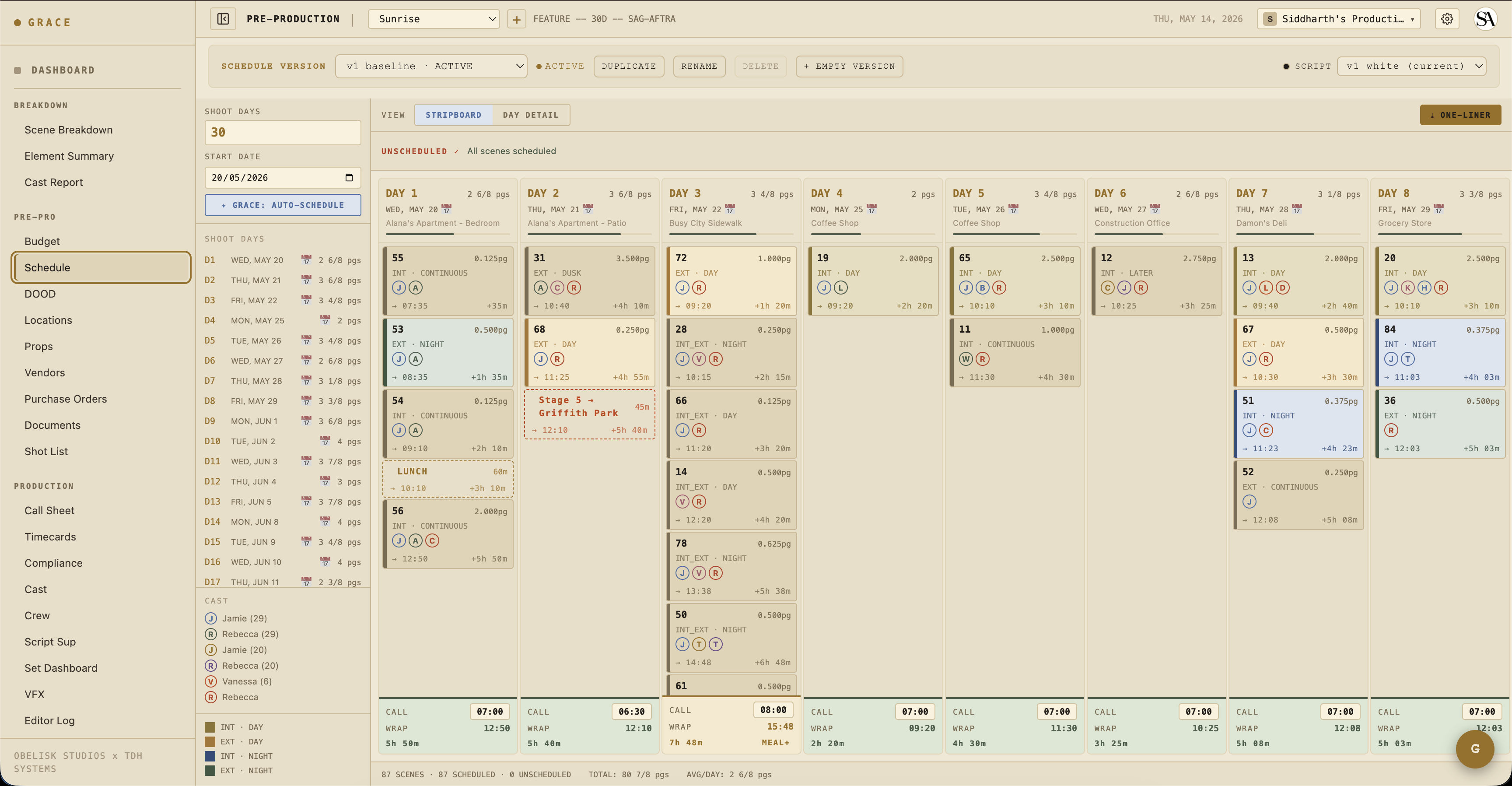
- Schedule - the strip-based shooting schedule. Drag scenes between days, add company moves, add lunch strips. Grace can propose a first pass with a greedy, location-first pack (roughly 4 pages a day), then you finalize by hand. See Pre-production.
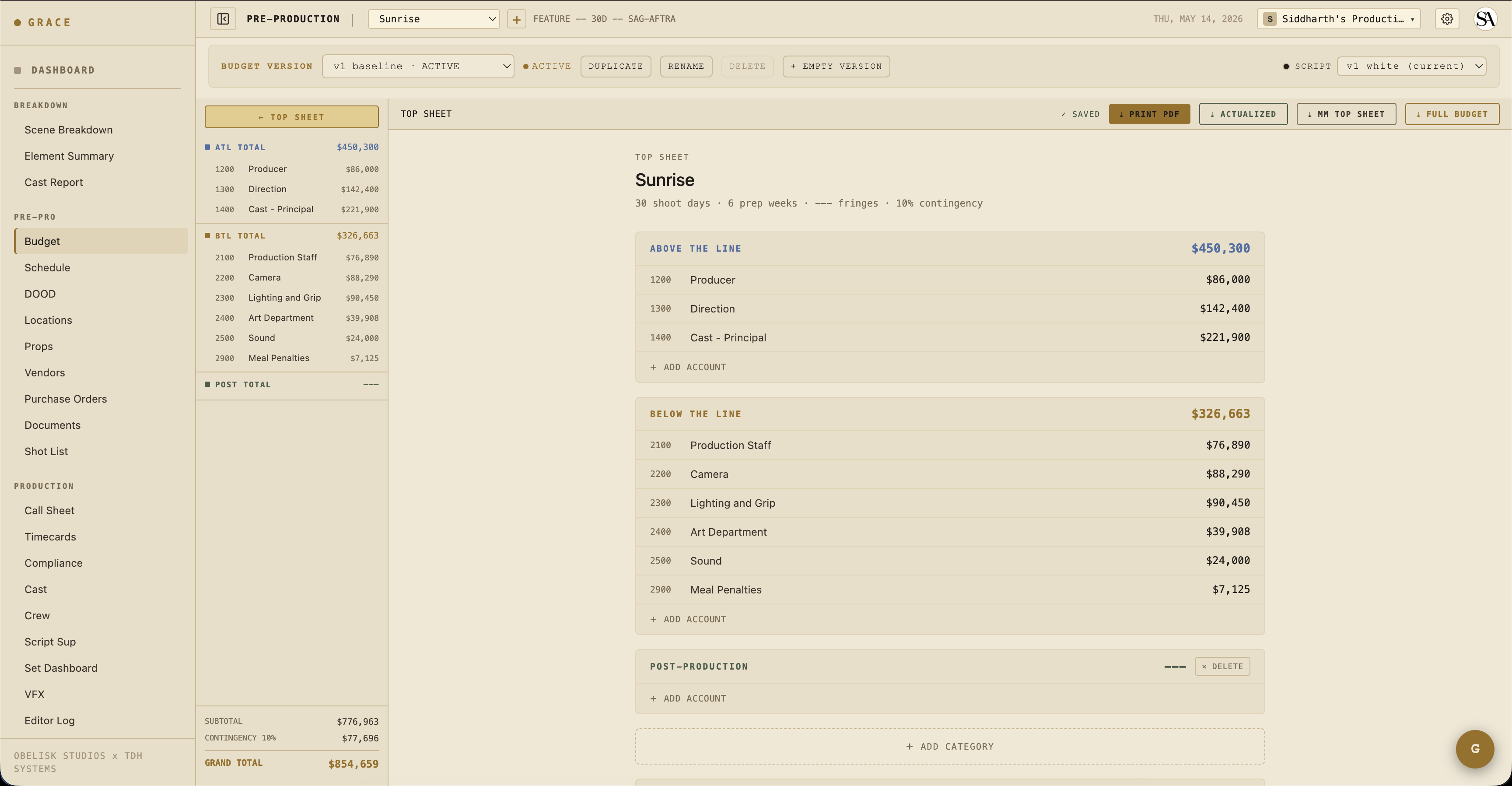
- Budget - category > account > line > item. Turn on PULL CAST & CREW and every cast and crew member becomes its own priced line, rated from Grace's rate table with union fringes applied automatically. Seed a fresh budget version from one of four templates (Grace, Minimum Grace, Empty, or clone an existing version). Grace also reads the script and drops "GRACE READ THE SCRIPT" chips that pre-classify the production size (blue, never dollars). A BUDGET vs SCRIPT reconciliation radar and a BURN FORECAST (from your PO actuals) round it out, and there's an EXPORT dropdown. See Pre-production.
- POs - Purchase Orders, one PO per budget line/item. Status is pending / approved / rejected / paid. Per-PO actuals roll up to the budget actuals card on the dashboard.
- Compliance - generate the 8 compliance docs (daily crew/cast timesheets, Exhibit G, turnaround waiver, meal-penalty ack, studio teacher report, injury report, safety meeting), then send any of them for e-signature in-app. You can also Generate standard documents (crew and cast deal memos, cast talent release, NDA, and location/appearance/personal/crowd releases) from an inline-editable preview. See Compliance.
- Vendors - every PO points at a vendor. Vendor list lives at Budget → Vendors.
The dot system
Every value Grace shows carries a colored dot that tells you where it came from and how much to trust it. This is the trust layer, and it shows up everywhere you work, especially the budget and the roster.
- Blue - Grace produced it and it isn't backed by a production source yet. An estimate or autofill. Editable.
- Gold - your hard manual override. It is sticky, it breaks Grace's cascade for that cell (Grace stops managing it), and it never auto-flips. Only you can move it back to blue (let Grace manage it again) or to green (accept it as verified). A verified document that conflicts with a gold value raises a warning, it does not overwrite you.
- Green - a verified value. Green only ever upgrades a blue, either because a real production source confirmed it (a signed/executed deal memo, contract, or PO) or because it was derived entirely from your own trusted (gold/green) entries. Green isn't permanently locked, you can still override it.
On the budget, a locked line renders gold, and a signed deal memo flips both the roster row and its budget person-line green.
E-signatures
Grace sends documents out for signature through a self-hosted signing service. Send a compliance doc, a generated deal memo, or any uploaded deal memo or contract for signature, place the signature/date/name/initials/text fields on the real PDF with the in-app drag-drop composer, assign them per recipient, and send. The lifecycle runs draft → pending signature → executed. When a document comes back executed, the linked roster row and its budget line turn green. Grace never signs for you.
When you're handing off to the 1st AD
The 1st AD takes over once the schedule is locked. Their daily cycle is Call sheets → Set Dashboard → wrap. You're still on the hook for budget/compliance/POs in parallel, but the day-of-shoot pacing is the AD's responsibility.
Cards you live in
The per-production dashboard surfaces what you care about at the top - Compliance Flags, Call Sheet Status, Budget Snapshot, Crew/Cast on Set. The mix is curated for T1 roles. See Dashboard cards.
Next reads
- Pre-production - schedule, budget, locations, props, shot list.
- Compliance documents - the 8 doc types you'll generate.
- Timecards - Grace prefill math + dot conventions.