Quickstart - Director
You're a T2 role, which means full access to scenes, shots, schedule, call sheets, the crew and cast rosters, and the script supervisor's view. Continuity notes are visible. Budget and rates are hidden by default (a producer can grant them via an access override).
Grace doesn't replace your creative judgment or your storyboarding workflow. What it does is keep all your prep references in one place that the rest of the crew can see too, so when you decide on a frame, the DP and 1st AC don't have to chase you for the reference.
The first time you open each page, Grace runs a short spotlight walkthrough of what's on it. You can replay any of these later from the gear menu, "Show guide." This written guide is a companion to those in-product tours.
Day one
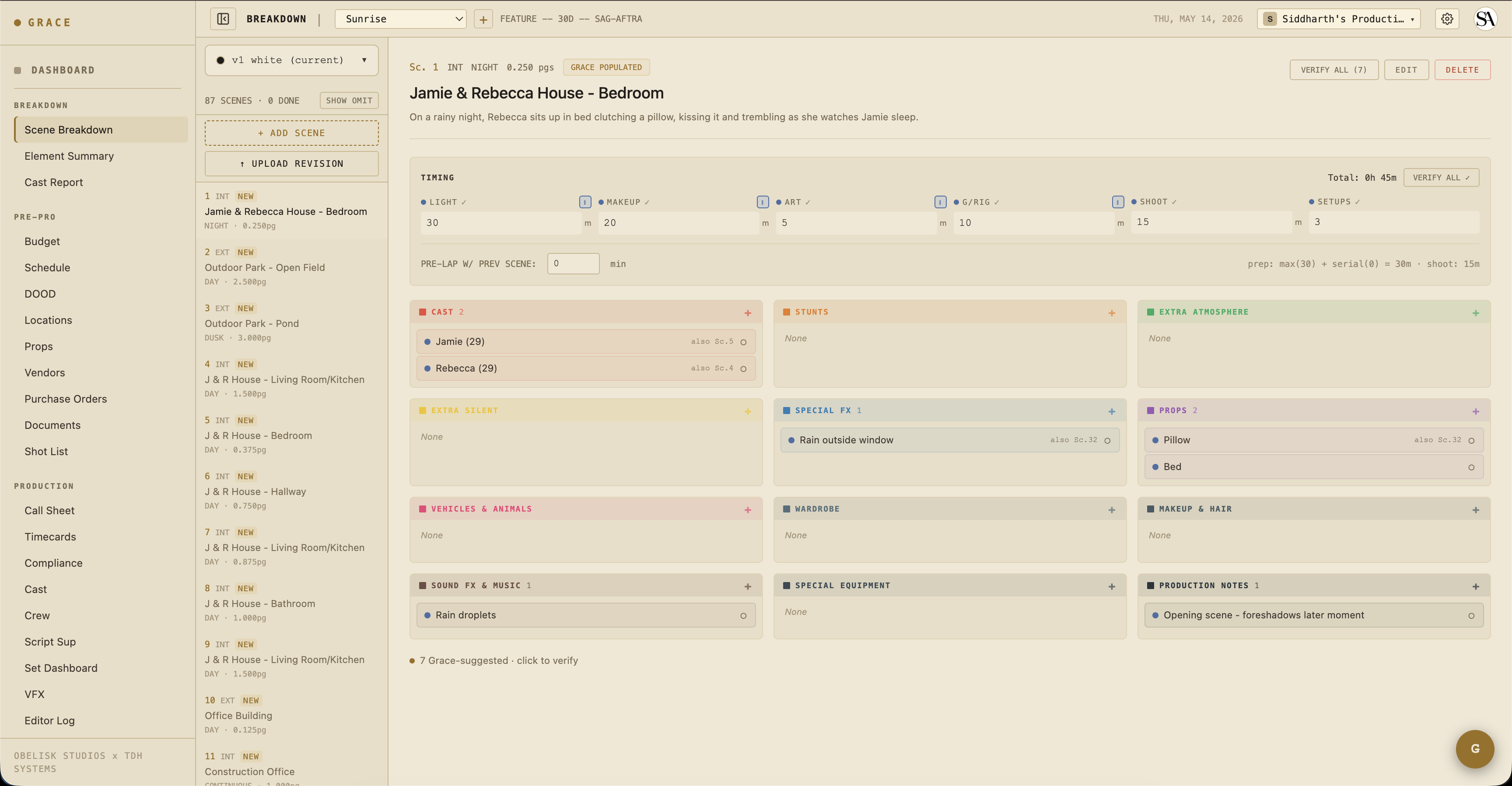
- Read the breakdown. Grace has parsed your script into scenes and elements (cast, props, stunts, etc.), review the parse and accept/reject the AI's calls. This is your master list for the show.
- Build your shot list. Creative Prep -> Shot List. Per-scene shot rows with size, angle, lens, movement, description. The DP works from this same list.
- Capture creative refs. Creative Prep -> Creative. Drop in mood boards, frame references, prevs. Tag by scene so they show up on the relevant pages.
What you do day-to-day
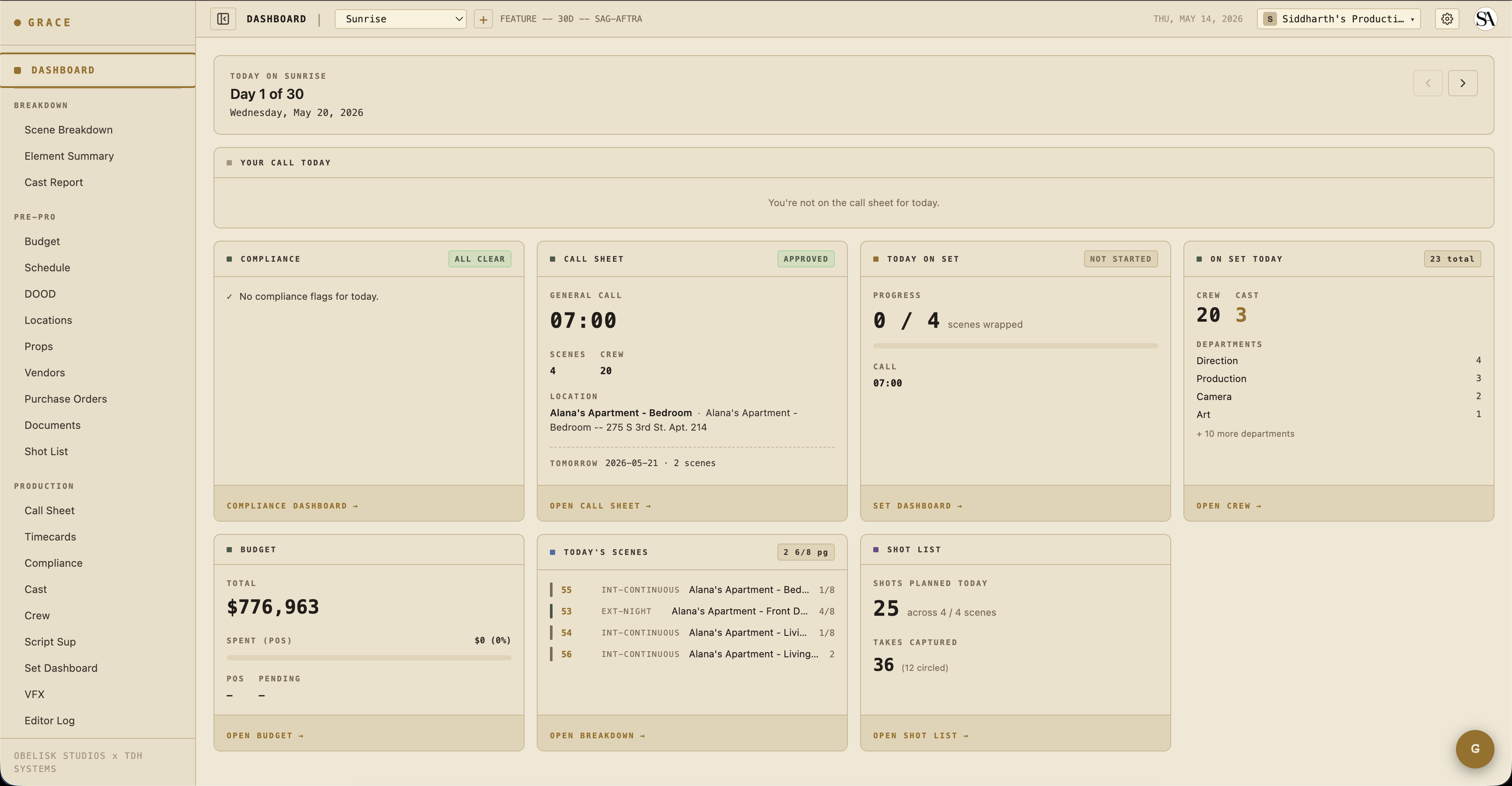
On a shoot day, you spend more time on set than on Grace. When you are in Grace, the per-production dashboard surfaces:
- Today's scenes - what you're shooting, page count, location, time of day.
- Shot list progress - total shots planned vs takes captured. Circled-take count too.
- Set Dashboard summary - live status of where you are in the day.
- Continuity notes - what Script Sup has captured since the last setup.
Picking takes
After each scene wraps, head to Coverage -> Script Sup or Coverage -> Editor Log to mark circled takes and rank director picks. Picks flow through to the editor log exports (CSV, PDF, EDL, FCPXML) that go to the editor at wrap. The EDL and FCPXML are paper cuts the editor relinks against the real dailies on import.
See Script supervisor for the continuity + take workflow.
What you can write to
- Scenes (full edit - descriptions, elements)
- Shots (full edit - your shot list)
- Schedule (full - the UPM usually drives it, but you can edit)
- Call sheets (full - the 1st AD usually owns these by convention)
- Crew and cast rosters, including contact info (full)
- Continuity notes (full)
- Editor log picks (full)
What you can't see by default:
- Budget (hidden for directors; a producer can grant it via an access override)
- Crew and cast rates (hidden along with the budget)
- The Vault, meaning screeners, dailies, and DIT (hidden by default for directors; a producer can grant access via section overrides)
Next reads
- Script -> Breakdown - review the parse, commit revisions.
- Script supervisor workflow - continuity, takes, picks.
- Editor log - what gets handed to the editor at wrap.