Quickstart - DP / Camera Operator
You're a T2 role focused on the shot list and the takes that get captured. Scenes and schedule are read-only; shot list is full write. Camera operators get a tighter narrowing (shot list write only) - DPs additionally see crew, locations, the VFX dashboard, and the editor log.
The first time you open the shot list, the VFX dashboard, or the editor log, Grace runs a short spotlight walkthrough of that page. You can replay any walkthrough later from the gear menu, Show guide.
Day one
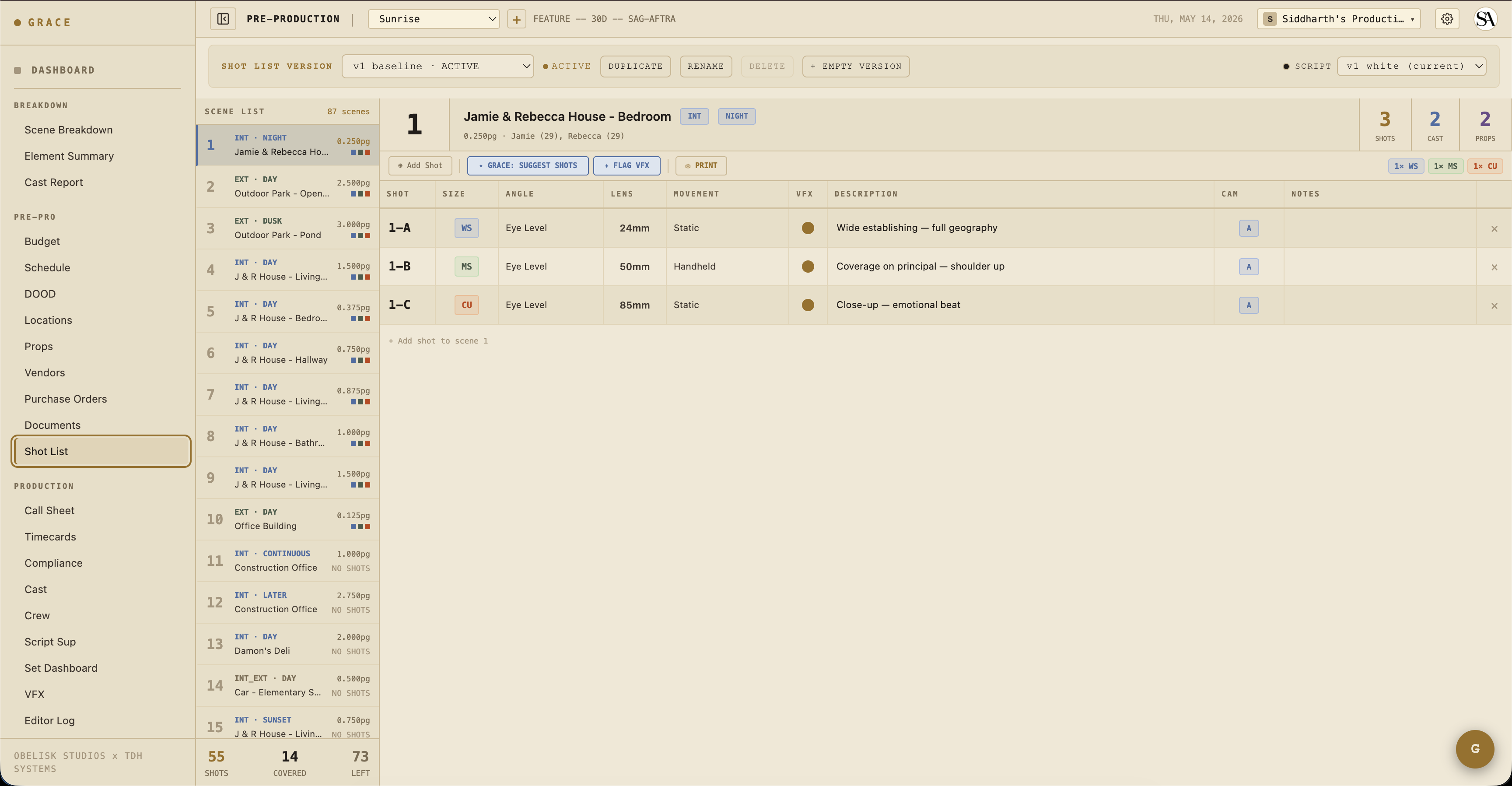
- Open the shot list at Creative Prep → Shot List. Either the director has populated it or it's empty; in collaboration with the director, fill in shots per scene with size / angle / lens / movement.
- Spot-check locations at Schedule & Locations → Locations. Lat/lon, parking, power, generator notes - confirm these for your scout days.
- Check the schedule for shoot order: Schedule & Locations → Schedule.
- Add any prep refs you have: Creative Prep → Creative.
What you do day-to-day
Most of your time is on set, not in Grace. When you check in:
- Today's shots - per-production dashboard surfaces
Shot List Progresscard showing planned vs captured + circled-take counts. - Set Dashboard - for current strip status + projected wrap, same as the AD's view.
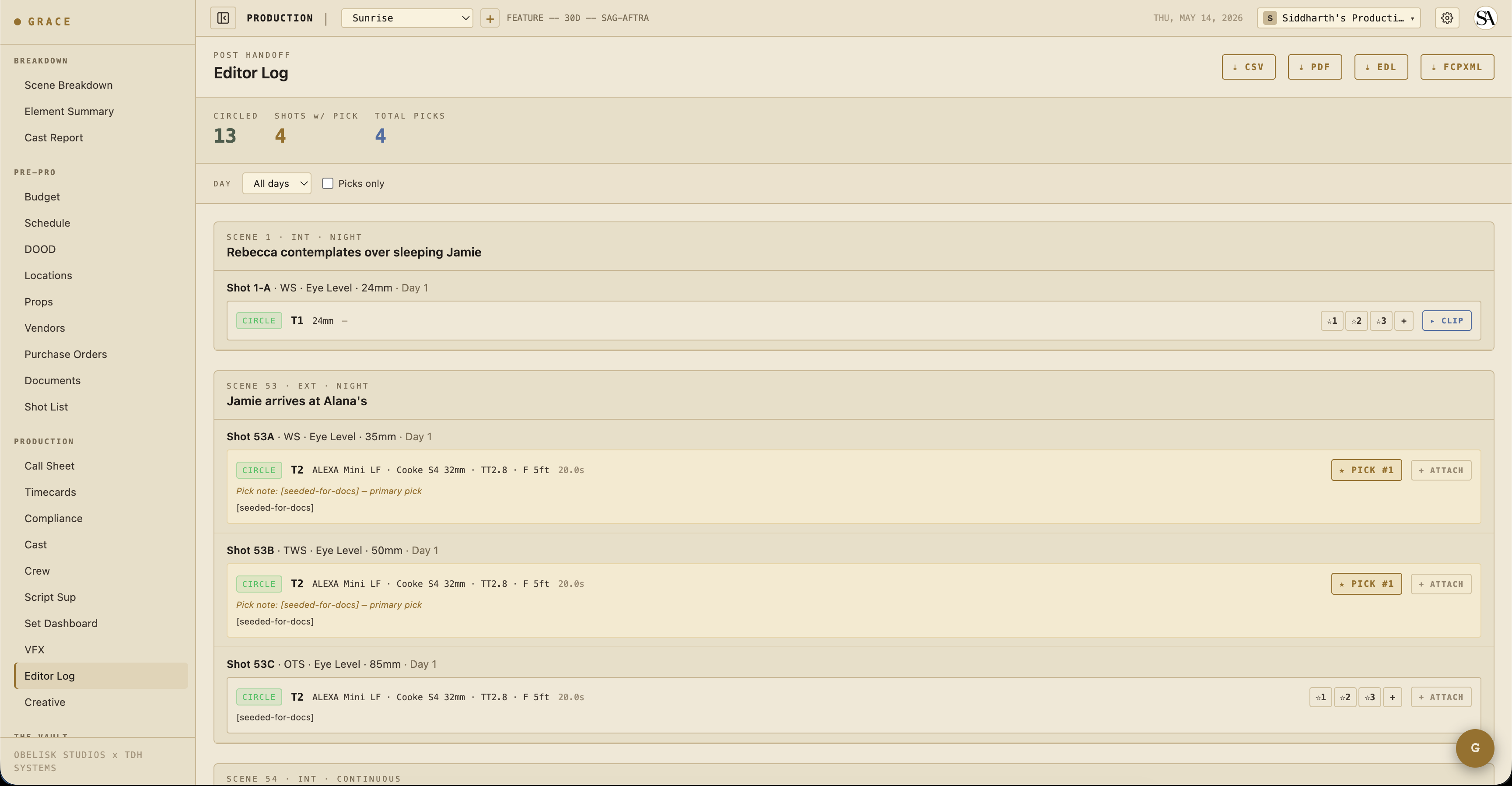
- Editor log - Coverage → Editor Log shows circled takes you captured, organized by scene → shot → take.
Camera reports
Once your 1st AC starts logging takes (Coverage → Script Sup), each take captures:
- Camera (A/B/C), camera body
- Lens, t-stop, filter, focus distance
- Duration (auto from take start/end)
- Notes (what was different about this take)
You can review takes read-only from the Script Sup view or the Editor Log. Editing and logging takes is the 1st AC / Script Supervisor's job (it needs Script Sup write access). If you need to edit takes yourself, a producer can grant you a write override on Settings → Access.
VFX shots
When a shot is flagged VFX, the VFX requirements appear on the shot row: clean plate, tracking markers, HDRI, chrome/gray ball, measurements, reference stills, LIDAR. As a DP you can view these requirements; the VFX dashboard is view-only by default. Marking each as captured / na needs VFX dashboard write access, which is the VFX Supervisor's job (or a producer-granted override for you). See VFX flagging + turnover.
Your access at a glance
You can edit:
- Shots (full)
- Scene timing (full)
- Crew (write - used to indicate who's on which camera setup)
You can view (read-only):
- Scenes, Schedule, Cast, Locations
- Script Sup, VFX dashboard, Editor Log
Camera operators are narrower still: shot list write only, with no read on the other sections. A producer can widen any of these via access overrides on Settings → Access if your role needs more.
Next reads
- Pre-production - shot list section.
- VFX flagging + turnover - capture requirements + turnover PDF.
- Editor log - circled takes view + EDL export.