Set Dashboard
/dashboard/production/set. The single page the 1st AD lives on during a shoot day, plus a handful of companion cards that make it useful to everyone else on set too.
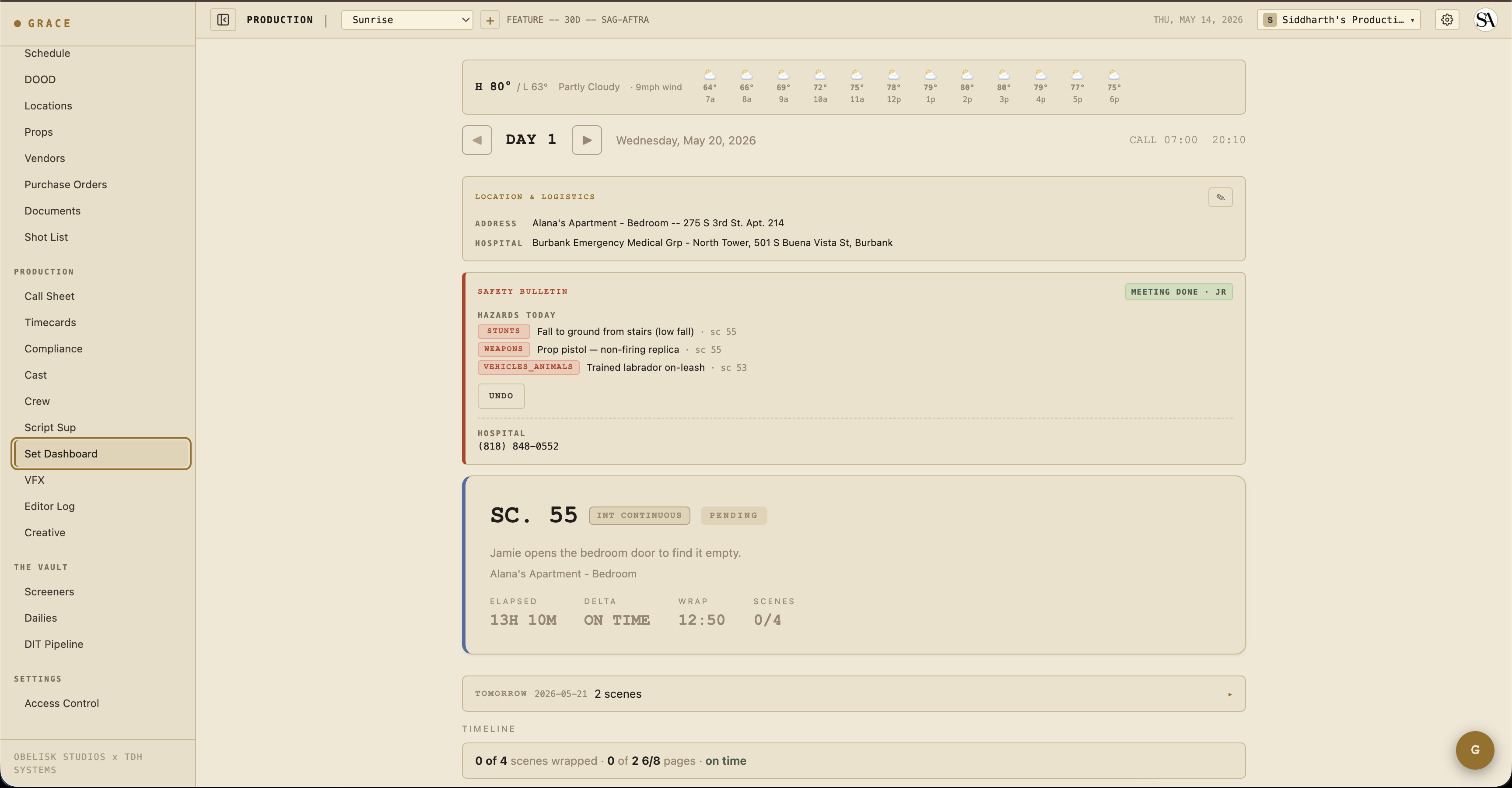
The page is built around the strip timeline - your day, top to bottom, in shooting order. Each strip is a scene (or a meal, a company move, a stunt rehearsal). You mark strips prepping -> shooting -> wrapped as the day goes. Grace updates the projected wrap time in real-time as you do.
On your first visit Grace runs an in-app spotlight tour of this page (day header, strip timeline, status buttons, safety bulletin, compliance footer, walkie channels). You can replay it any time from the gear menu's "Show guide". This written guide is the companion reference.
Top of the page
The companion cards around the day header surface things every department needs to know quickly. The weather strip sits above the day header; Location & Logistics and Safety Bulletin sit just below it.
Weather strip
A banner with current temp + condition + wind, an hourly icon row across the shoot window, and a sunset countdown when today has EXT scenes. If precipitation crosses 40% within the shoot window and you're scheduled for EXT, you get a "RAIN AT 3PM" alert.
Driven by Open-Meteo (free, browser-side fetch). Requires the day's primary location to have lat/lon geocoded - set this on the Locations page (Pre-Pro, Locations).
Day header
Day number (DAY 1 of 30), date, current time, general call. Day-stepper navigates between days for review.
Turnaround warning
A red banner appears if the previous day's wrap puts today's call inside the union turnaround minimum. The hours-shortfall is displayed. (A Forced Call memo PDF was auto-generated when this was first approved - see Compliance.)
Location & Logistics
Address, hospital, base camp, crew parking, holding area, Wi-Fi creds, catering location/time. Editable inline by callSheets:write roles (the AD).
Safety Bulletin
Today's hazards (stunts / SFX / pyro / weapons / firearms / animals / water / heights / aerial elements) listed as red chips. A MARK MEETING DONE button captures initials plus a timestamp, then displays a green chip reading "MEETING DONE" with the marker's initials (the timestamp shows in the chip's hover tooltip). Below it, the nearest hospital's phone number renders as a tel: link for quick dialing.
Safety meeting state is production-wide - once one AD marks it done, everyone on the production sees the same green chip with the same initials.
Middle - the hero card
The hero card is the current scene. Big scene number, brief description, and a strip color border keyed to the scene's INT/EXT and DAY/NIGHT type. When the current strip status is prepping the border is gold; shooting, green; once wrapped the hero rolls forward to the next strip.
During the live day the hero also shows a four-stat row so the AD can read the day at a glance:
- ELAPSED - minutes since general call.
- DELTA - running delta vs the planned schedule (green ahead, red behind).
- WRAP - projected wrap time, recomputed as strips are marked.
- SCENES - scenes completed out of total.
Once every strip is wrapped, the hero card is replaced by a DAY WRAPPED card. It holds the AD's wrap notes (which flow into the DPR, the Daily Production Report) plus SAVE NOTES and GENERATE DPR buttons.
Tomorrow at-a-glance
A collapsible card between hero and timeline showing tomorrow's call time + scene previews, plus a peek at the day after.
Company moves
When today's schedule has a company move or travel strip, an orange-bordered banner emphasizes it above the timeline so it doesn't get lost. Depart time + duration + destination + notes.
Timeline
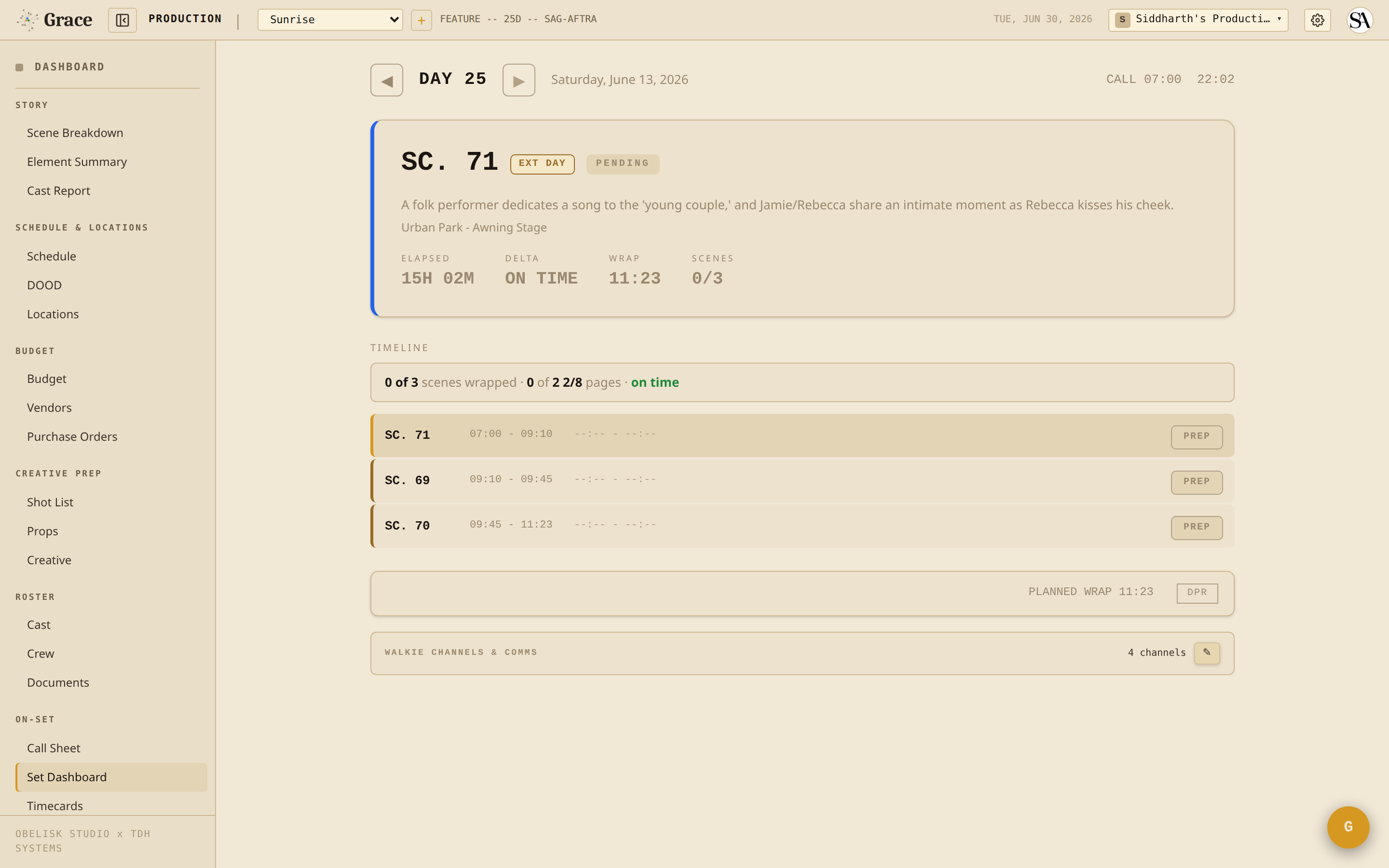
Each row is a strip. Left to right:
- Strip color bar - INT-DAY / EXT-DAY / INT-NIGHT / EXT-NIGHT for scene strips; meal / move / custom colors for non-scene.
- Scene number or strip label (LUNCH, COMPANY MOVE, STUNT REHEARSAL, etc.).
- Description - for scene strips, the scene synopsis.
- Take counts -
4T 2Cmeans 4 takes shot, 2 circled. - Delta vs planned -
+12mred = 12 min over planned;-5mgreen = 5 min under. - Status button - cycles the strip: PREP -> SHOOT -> WRAP -> RESET (START -> END -> RESET for meals and moves). The row fades to grey once the strip is wrapped.
Progress narrative
Above the timeline, one human sentence summarizing the day:
"4 of 6 scenes wrapped · 2 1/8 of 5 1/8 pages · running 22 min behind"
Derived from the wrap state + page counts + projected delta.
Bottom - compliance footer
The compliance footer strip at the bottom shows live state only when you're viewing today's shoot day. Off-day previews show only PLANNED WRAP HH:MM.
When on today:
- Meal timer - minutes since call (or since last meal end). Turns gold at 5h30m, red past 6h (IATSE threshold). A meal penalty is estimated as a planned budget line (
mealpen:dayNaccount) from the scheduled crew headcount; the live timer does not itself write to the budget. - OT clock - accumulated work minutes, bucketed: OK (under 6h), MEAL+ (over 6h), OT+ (over 10h), OT++ (over 12h). This is a display-only status on the set dashboard; it does not drive a budget write.
- Projected wrap - current time + remaining strip durations + delta vs planned. Color = green (ahead), gold (slightly behind), red (significantly behind).
- DPR button - Generate the Daily Production Report PDF. Includes wrap time, scenes completed, page count, top notes, compliance summary.
Walkie channels
Collapsible card at the bottom showing per-department walkie channel mapping ("CH1: production, CH2: camera+1, CH3: G&E") + a crew chat link (WhatsApp / Slack). T1/T2 can edit inline (pencil, flip, save). T3 read-only.
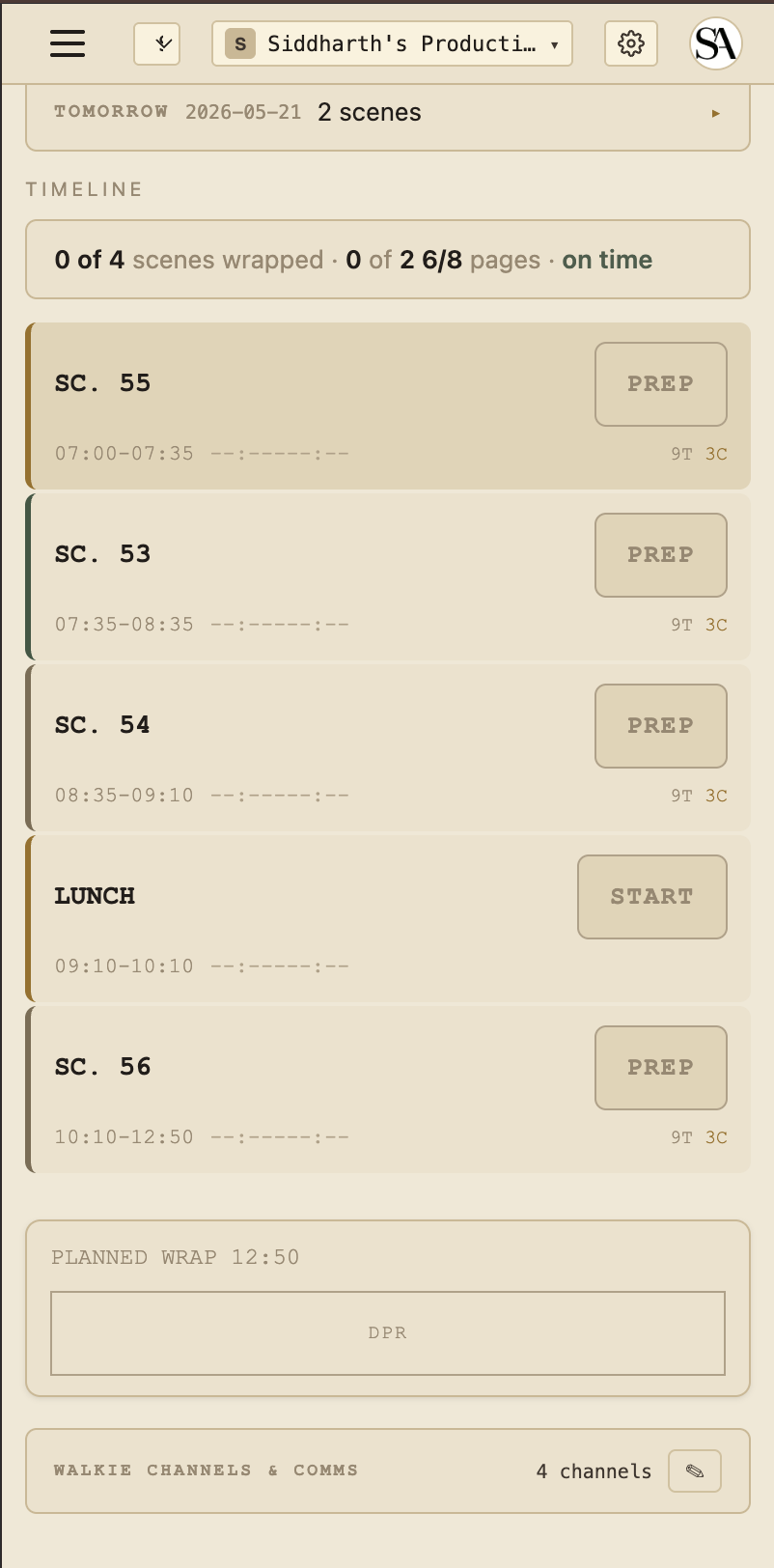
Mobile
The Set Dashboard works on mobile (cards stack to single column). The desktop version is more usable on a 12-hour shoot day - most ADs run it on a laptop in video village.
Off-day previews
When you scroll to a different shoot day via the day-stepper:
- Compliance footer goes static (
PLANNED WRAP HH:MMonly - no meal timer, no live OT) - Strip timeline still rendered with planned times
- All other cards work as expected
This is intentional - the wall-clock vs the day's general call only makes sense when you're physically on that shoot day.
Mobile screenshot
Next
- Compliance - the 8 doc types and how they integrate with the set day.
- Timecards - capture actuals at wrap.
- Editor log - circled takes flow downstream.