Quickstart - VFX Supervisor
You're a T2 role focused on flagging VFX shots and tracking capture readiness for turnover. The VFX Dashboard is full write; shots are write; everything else is sparse by default.
The first time you open the VFX Dashboard, an in-app spotlight tour walks you through it. You can replay it any time from the gear menu under "Show guide", so treat this page as a companion to that.
Day one
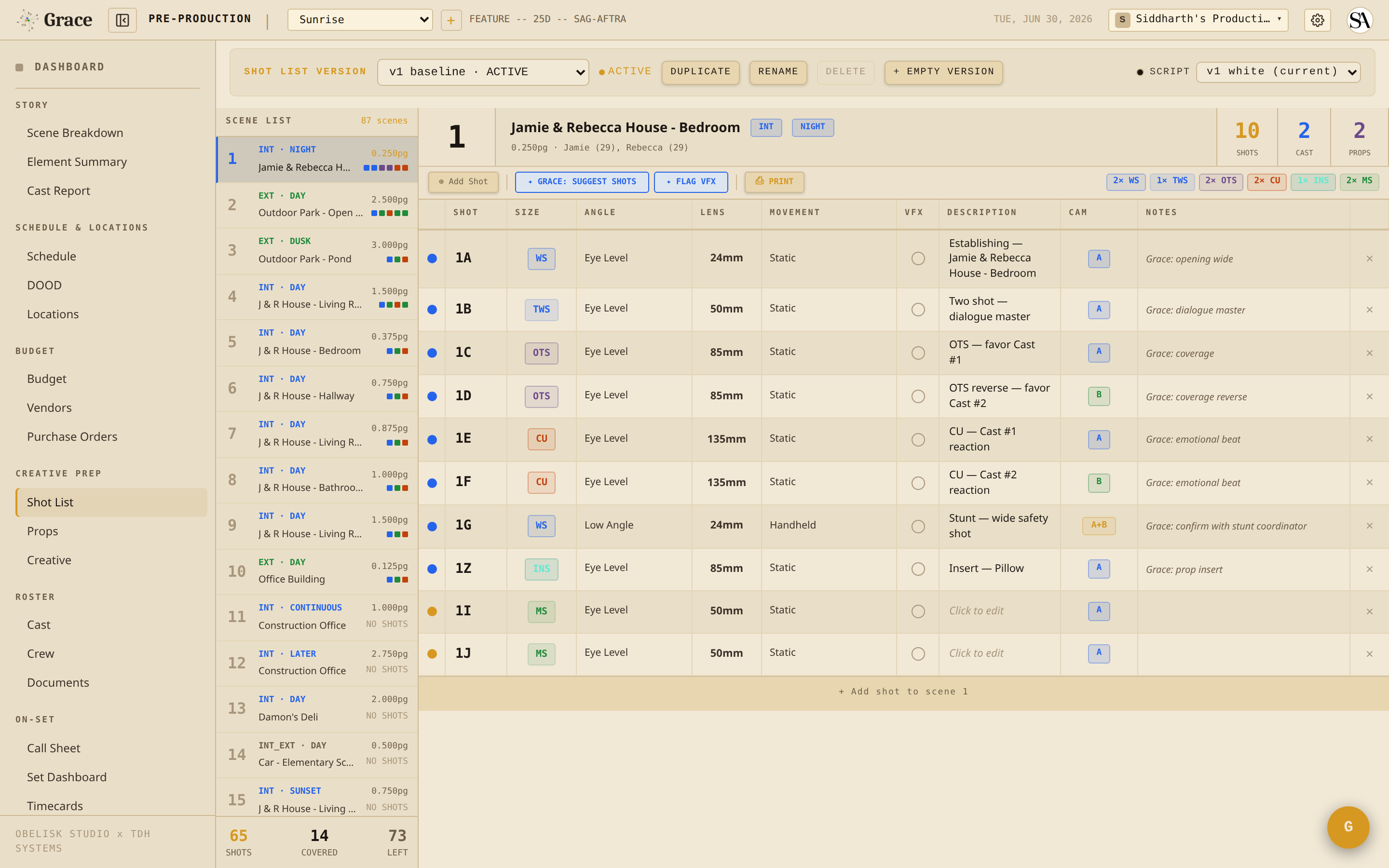
- Open the Shot List (under Creative Prep) and walk it scene by scene. For each shot that needs VFX, flag it.
- Let Grace do a first pass if you want a head start. Click ✦ FLAG VFX at the top of the Shot List. Grace reads the current shot list and flags the shots that look like they need VFX work. Nothing is flagged automatically, this pass only runs when you click the button. Suggestions arrive as blue dots, so review and accept or clear each one.
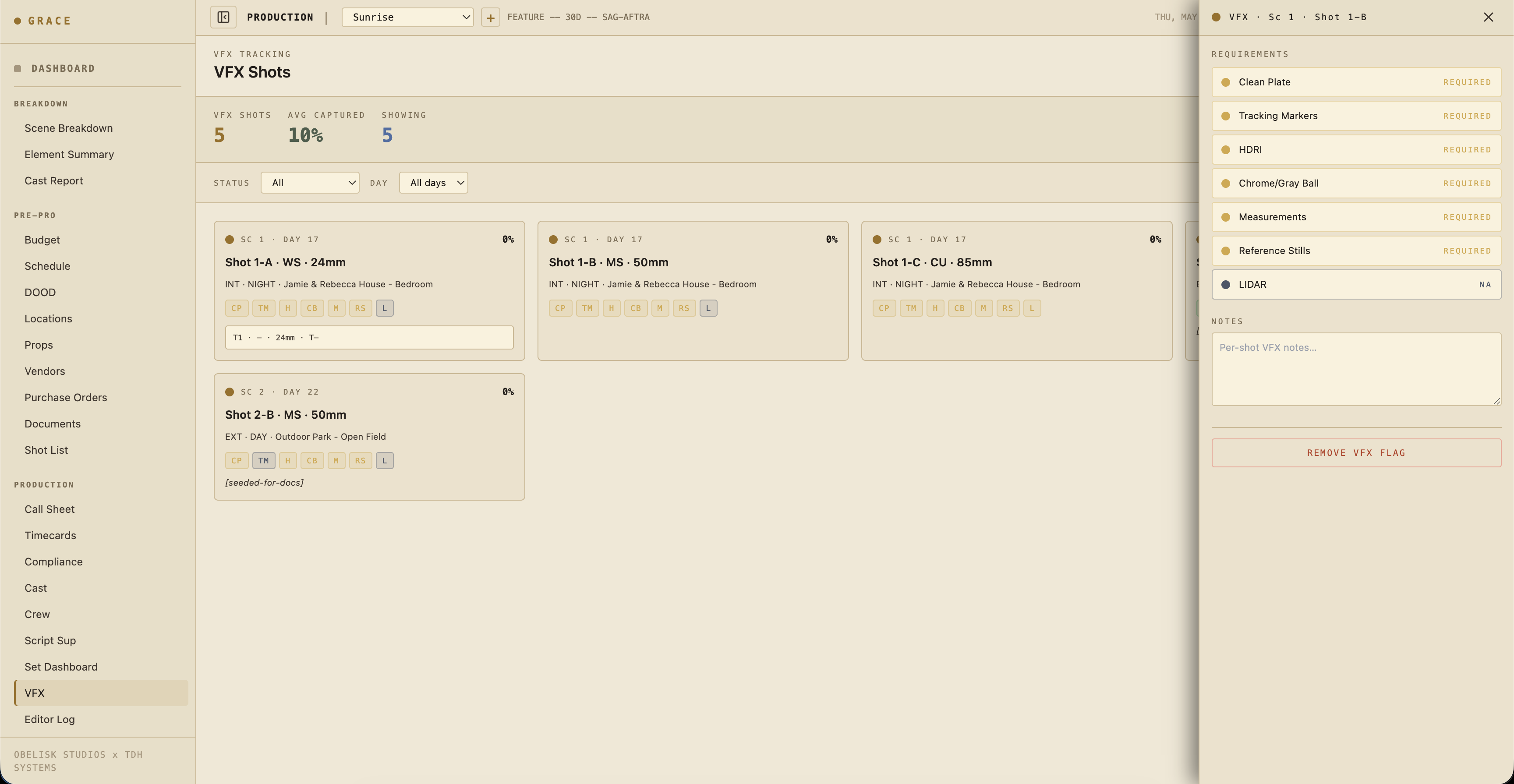
- Open Coverage → VFX to see every flagged shot in one place, then set the capture requirements per flagged shot: clean plate / tracking markers / HDRI / chrome+gray ball / measurements / reference stills / LIDAR.
What you do day-to-day
For each flagged shot, the dashboard tracks 7 capture requirements with status required / captured / na:
- Clean plate - empty-frame plate without actors.
- Tracking markers - visible markers for 3D track.
- HDRI - light probe panorama.
- Chrome + gray ball - exposure + lighting reference.
- Measurements - physical set measurements / scale references.
- Reference stills - photos of the set, props, costumes.
- LIDAR - scan of set geometry.
Click a requirement to cycle its status: required to captured to na and back around. Mark each as captured during the prep / shoot day. By turnover time, every requirement on every flagged shot should be captured or na.
Status colors
Two color systems run on this page.
The flag dot on each VFX-flagged shot follows the dot system:
- 🔵 Blue - Grace suggested this shot is VFX. Editable, review it.
- 🟡 Gold - you flagged or confirmed this shot by hand. A hard manual call that sticks and never auto-flips.
The capture requirement status uses its own three-way palette:
- Required (amber) - still owed, capture it on the day.
- Captured (green) - the reference is in hand.
- N/A (grey) - not applicable to this shot.
Turnover
At wrap, export the VFX turnover from the dashboard header. Two formats sit side by side:
- ⎙ TURNOVER PDF - the full turnover document.
- ⤓ CSV - a spreadsheet of the same data.
Both include:
- Every flagged shot with capture status
- Linked takes (with camera report data)
- Linked dailies clips
- Scene context
What you can write to
- VFX shot requirements (full)
- Shots (write - to add notes, etc.)
- Script Sup Dashboard (none by default)
- Editor Log (read)
Next reads
- VFX flagging + turnover - full workflow.
- Editor log - where your captured takes show up for post.